
Technical Insights: The Camera’s “Health Certificate” in Photos
Every RAW image from Sony cameras serves as a digital “health certificate”, with EXIF metadata recording:
-
Hardware Profile
Body/lens serial numbers | Shutter count | Firmware version
-
Capture Parameters
Aperture | Shutter speed | ISO | Metering mode | Exposure mode | Focus mode | White balance | Color space
-
Geotagging (with GPS module)
Latitude/Longitude | Altitude
deciphers these critical data fields like reading a car’s odometer, revealing your camera’s true usage intensity through precise shutter count detection.
ShutterCount.net serves as a free online platform that analyzes these EXIF records through a single photo, originally designed for Sony cameras but now fully compatible with Nikon systems.
Step-by-Step Guide: Three Stages to Accurate Data
Stage 1: Prepare Photo Material
1. Set Mechanical Shutter Mode
Using A7RM5 as example:
Menu Path:
[MENU] → [Shooting] → [Shutter/Silent] → [Shutter Type] → [Mechanical Shutter]
💡 Pro Tip: Electronic front curtain settings don’t affect results
2. Configure RAW Format
Menu Path:
[MENU] → [Shooting] → [Image Quality/Rec] → [Image Quality Settings] → [RAW File Type] → [Uncompressed]/[Lossless Comp (L)]
💡 Pro Tip: Both compression options preserve metadata
3. Capture Static Photos
Take 1-3 photos of any stationary object
Step 2: Secure File Transfer
-
Wired Transfer First
Use USB cable for guaranteed metadata integrity
-
Avoid
❌ WiFi transfers (risk of metadata corruption/loss)
❌ Messaging apps like WeChat (automatic recompression)
❌ Photo editors before verification (potential metadata stripping)
Step 3: Online Shutter Count Check
-
Visit ShutterCount.net
-
Upload Method
Click
Upload Fileor drag-n-drop target image -
Automated Analysis
Wait ≈10s for system processing
-
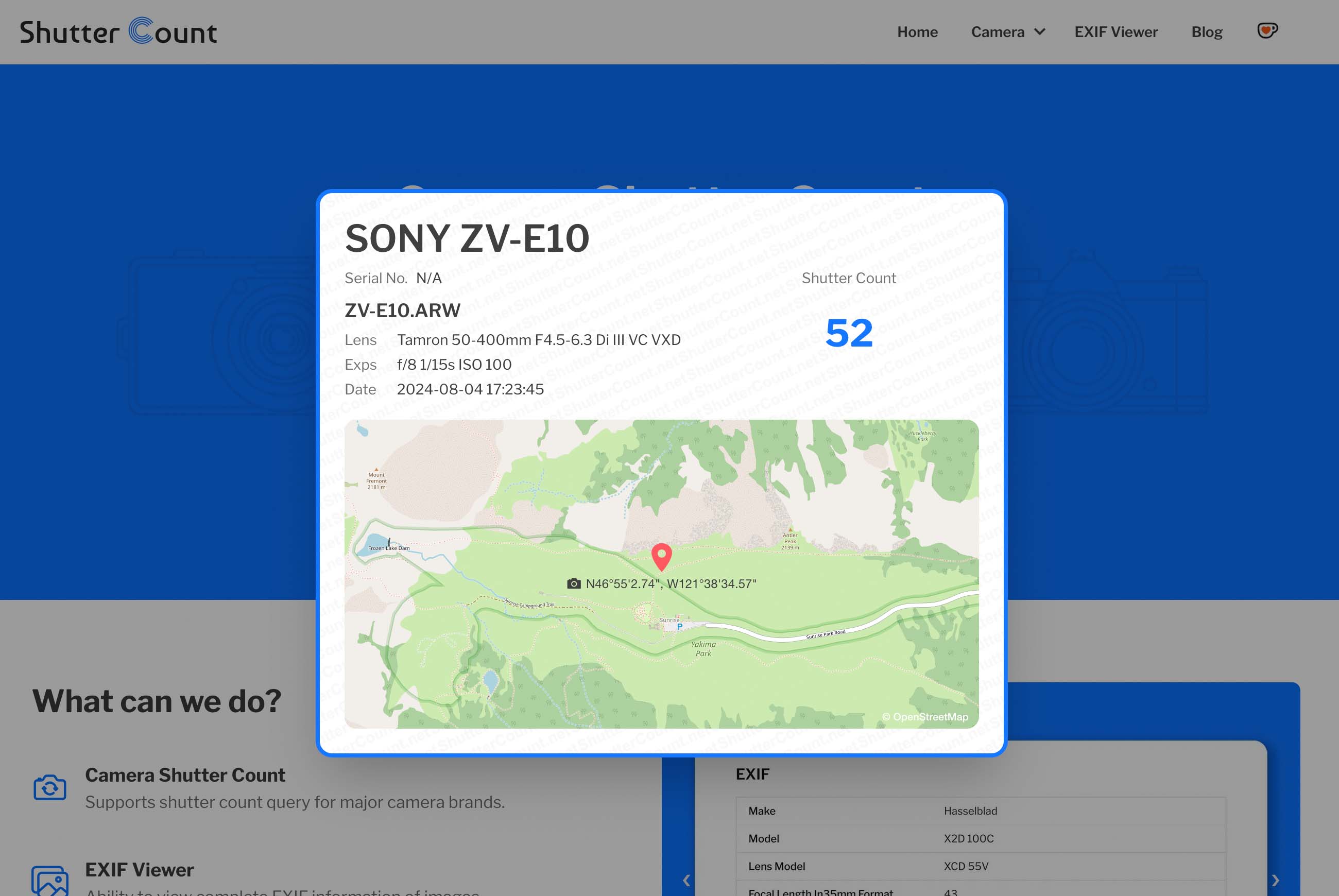
Comprehensive Report
View shutter count with supplementary camera metrics
Final Thoughts
This process not only reveals your camera’s shutter lifecycle but unveils its operational history. Before your next gear upgrade, give your faithful companion a comprehensive check-up!